Hard disk drive(HDD) plays an important role in building a high performance computers (until you just want to play around with live CDs). It is always good to have additional storage integrated inside PC (Internal HDD) or a portable storage (External HDD) in order to meet the current or upcoming data storage requirements.
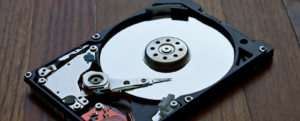
Hard disk drive
The only difference between external HDD and internal HDD is that, an external or portable HDD comes with a protective enclosure (with inbuilt SATA/IDE to USB interface adaptor), a USB interface and a option for external power. The USB interface make it portable and can be used for data transfer between two or more computers whereas an internal HDD is meant to place inside a computer.
Although there are Solid State Drives(SSDs) available in market that promises a better performance and high reliability for data storage needs on much higher price as compared to traditional HDDs
It is recommended to use SSDs where a lot of processing is going on. i.e. OS and Gaming application.
Now, we know there is no alternate option for storage, lets check few things to consider before buying a new hard disk drive.
Price : The Average price for HDDs starts from Rs.500 and ranging up-to Rs.15,000 depending on its specification. A HDD with same storage capacity can be cheaper then other because of less cache size and data transfer rate.
An average cost of 1 TB HDD is about Rs.3000 to Rs.4000
Storage capacity: HDDs come in different sizes starting from 160 GB to 4 TB per unit (HDDs below 160 GB are hard to find these days and above 4TB are generally considered for commercial use).Also check your computers hardware and Operating system compatibility before going to higher capacity hard disks (older OS can limit the storage capacity of hard disk or older hardware may find connectivity issues) There should be no issue with windows 7 and above OS and its supporting hardware.
For home use 1 TB HDD (as internal drive) is a better choice over anything below it.
Cache size: Cache comes in notice when a hard disk needs to copy or move data from one section to other section of drive. during this transfer the hard disk uses a special area of embedded memory called cache or buffer. Generally HDDs comes with cache size ranging from 16 MB to 128 MB. More the cache, higher the performance.
For home use a HDD with up-to 64 MB of cache is more than enough.
Data transfer rate: This is how fast a hard disk can transfer data per second, commonly known as data throughput. It varies depending on multiple factors including the density of the data on the disk,location of the data and how fast the disk is spinning (Revolution per minute or RPM).Today most of the HDDs comes with either 5400 RPM or 7200 RPM. Higher RPMs means faster data-throughput or faster data transfer rate.
HDD with 7200 RPM is highly recommended for primary hard disk (where OS and other installed application resides) although if you are planning to use it as storage only, a HDD with 5400 RPM will be cost effective choice.


